
Tips
What to Expect from Your Child's First Coding Class
A child's first coding class sets the tone for everything that follows. Here is what a high-quality first session looks like, what your child should come away with, and what questions to ask afterwards.
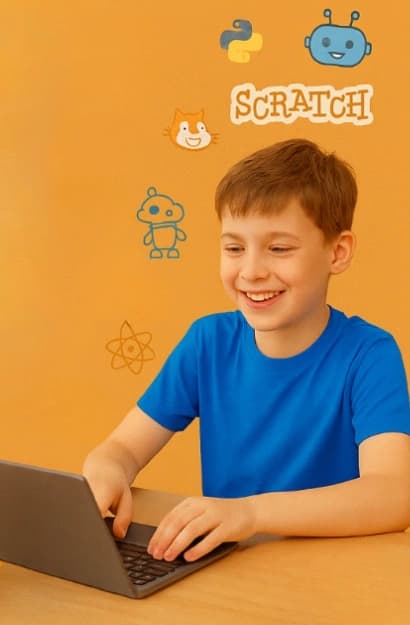
A child's first coding class sets the tone for everything that follows. Here is what a high-quality first session looks like, what your child should come away with, and what questions to ask afterwards.
Your child's first coding class is more important than most parents realise. It establishes whether coding feels exciting or intimidating, achievable or overwhelming, fun or tedious. A great first class does not just teach a concept — it makes a child want to come back.
The First 10 Minutes
A good instructor spends the first few minutes getting to know your child — what they enjoy, what games they play, what they would most like to build. This is not small talk. It is information the instructor will use to make the entire session relevant to your child specifically.
A poor first class skips this entirely and launches immediately into generic content that was prepared the same way for every child. This works for some students and misses others entirely.
What Should Actually Happen in the Session
By the end of the first session, your child should have built something. Not watched something being built. Not filled in a worksheet about coding. Actually created a small, working project themselves — even if it only does one or two things.
- In a Scratch class: a sprite that moves, reacts to a click, or plays a sound
- In a Python class: a program that prints something, asks for input, or does a simple calculation
- In a Web Development class: an HTML page that displays in a browser
This first creation is enormously important. It proves to your child that coding is something they can do — and that proof sticks.
How Your Child Should Feel Afterwards
After a good first class, children are typically one of two things: buzzing with excitement and immediately wanting to show someone what they made, or quietly thoughtful in a way that usually means they are processing something that genuinely interested them. Both are excellent signs.
Warning signs: your child says it was 'fine' or 'okay' but cannot tell you what they made. Your child says they spent most of the session watching. Your child seems relieved it is over rather than looking forward to the next one.
Questions to Ask Your Child Afterwards
- 'What did you build today?' — they should have a specific answer
- 'What was the hardest part?' — struggling with something is good; giving up is not
- 'Can you show me what you made?' — pride in their work is a great sign
- 'Do you want to go back?' — the only question that really matters
At Coding Buds, we guarantee that your child will build their first project in the very first session. That is not marketing language — it is a design principle. Creation before instruction. Always.
What to Do If the First Class Does Not Feel Right
Trust your instinct and your child's reaction. If something feels off — the pace was wrong, the content was not engaging, the instructor did not connect well — say so. Good providers welcome this feedback and adjust. If they do not, that tells you something important.
Ready to get started?
Book a free trial class for your child today.
No commitment required. See how we make coding fun, structured, and genuinely effective for kids aged 6–16.
Book a Free TrialMore Articles
Put Your Webpage on the Internet!
A step-by-step wizard tutorial for kids and teens to convert their Python code into a live webpage using GitHub Pages. No experience needed — just follow the magic!
Read Article
Getting Started with Scratch Programming for Kids
Scratch is the perfect introduction to coding for children. This visual programming language uses colourful blocks instead of complex text — making it ideal for ages 6 to 12.
Read Article
Why Python is Perfect for Young Programmers
Python's simple syntax and powerful capabilities make it an ideal first text-based programming language for kids and teens aged 8 and above.
Read Article